Help & FAQ
Clear steps for setting up a number and keyword, testing it, and fixing common reply problems.
Set up your account, number, and first keyword
- Create and verify your account. Start at sparkletext.com/sign-up.
- Choose a current monthly plan. Plan assignment can take a moment; check your dashboard before trying to add a number. See current pricing.
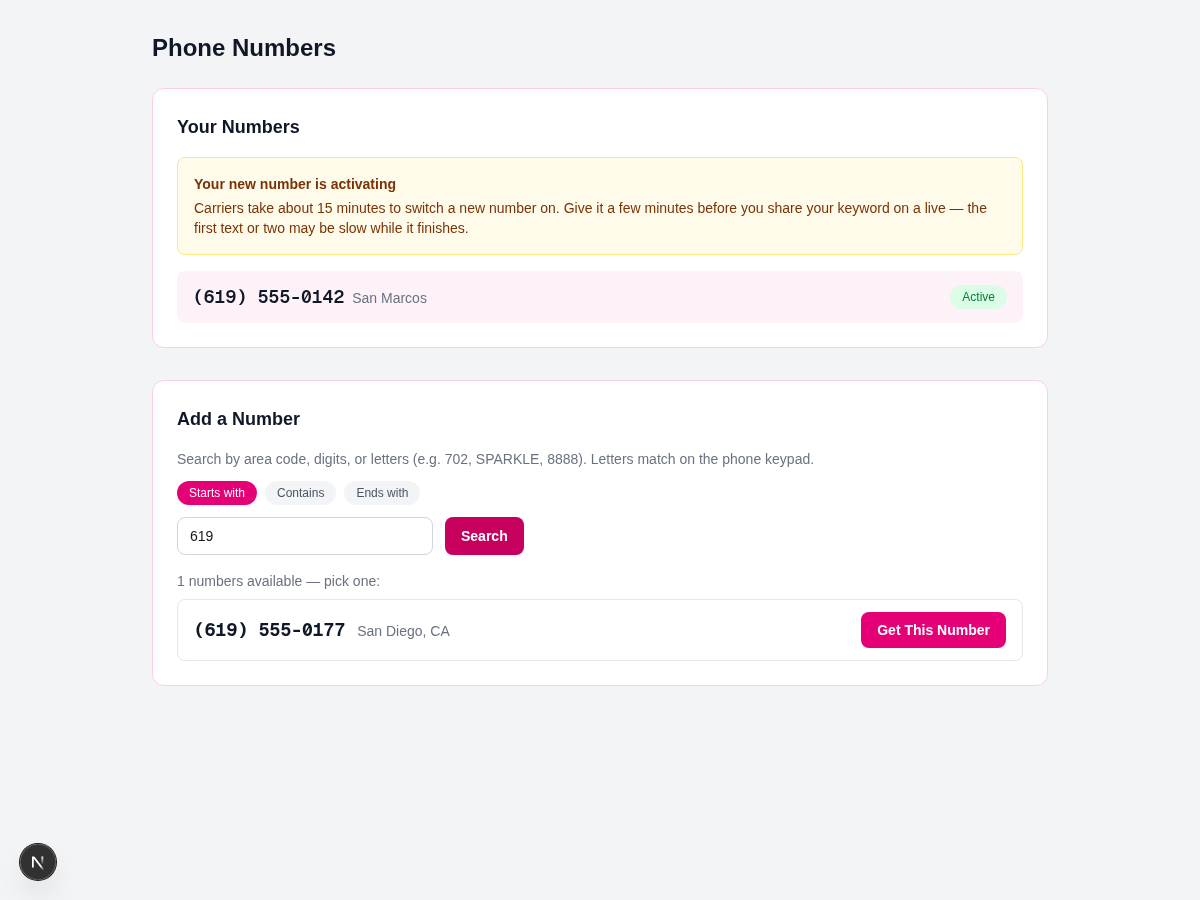
- Add a number. In the account menu, open Numbers, search for an available number, and choose it. A newly assigned number may still be activating with carriers, so wait before promoting it and test it first.
- Create and test a keyword. Open Keywords, save the word, reply, and destination link, then send one normal test text to the number before sharing it publicly.
A Host is the account owner who manages these dashboard settings. Your customers only need the word and the number you tell them to text.
Create a keyword that customers can use
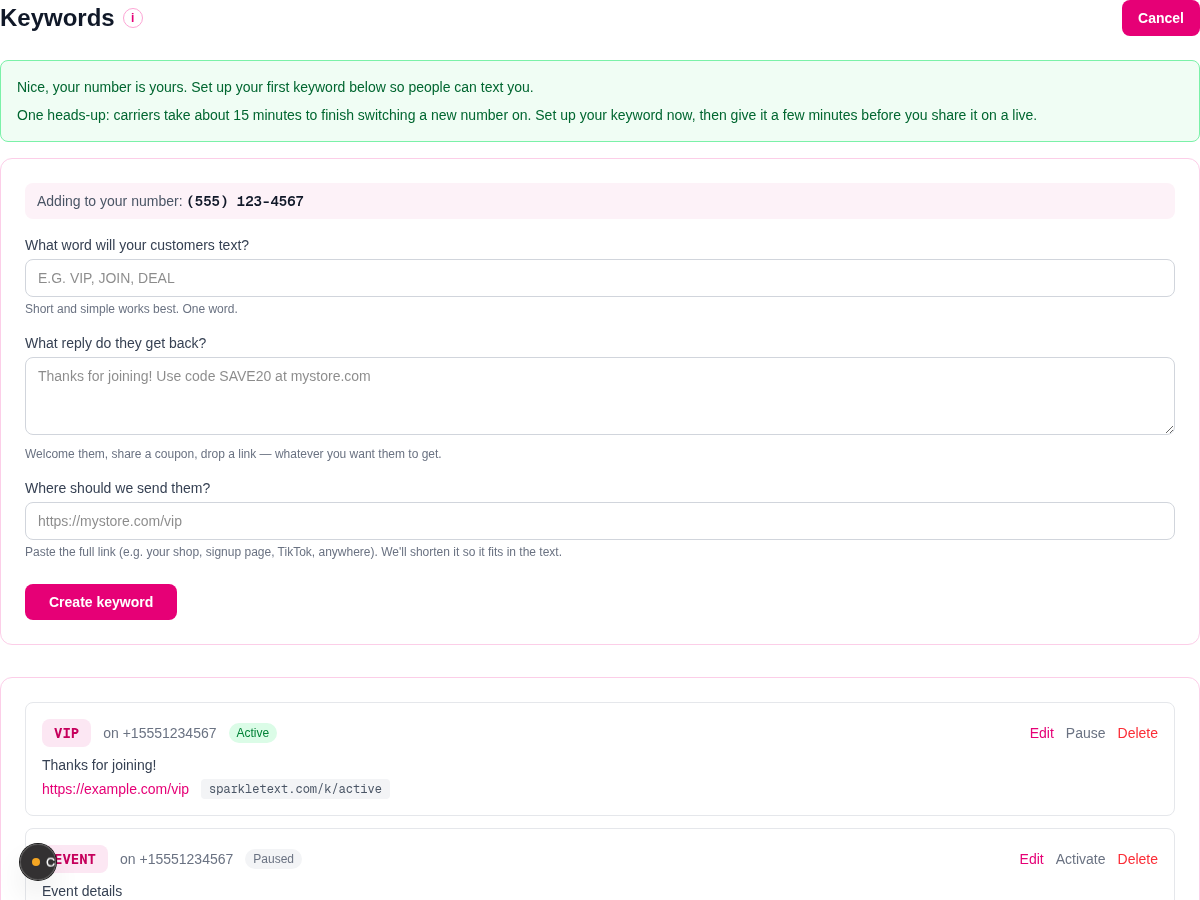
Choose Add Keyword. If you have more than one number, select the number that should receive the texts. Enter the exact word under What word will your customers text?, write the response under What reply do they get back?, add a full destination URL, and save it.
Customers must text the saved word to that selected number. Letter case is normalized, but misspellings and similar words are not matched. Shared-number accounts use their account-specific prefix; that is a special account setup, not a general keyword step.
For a seller-facing walkthrough of the keyword and reply flow, read how text-to-join works. When you are ready to plan the invitation around a lasting customer list, use the VIP text-list guide.
If a keyword does not reply
- Check the number and exact word. Confirm the customer used the number attached to the keyword and typed the saved word. Misspellings are not matched. Do not repeatedly send test messages while you investigate.
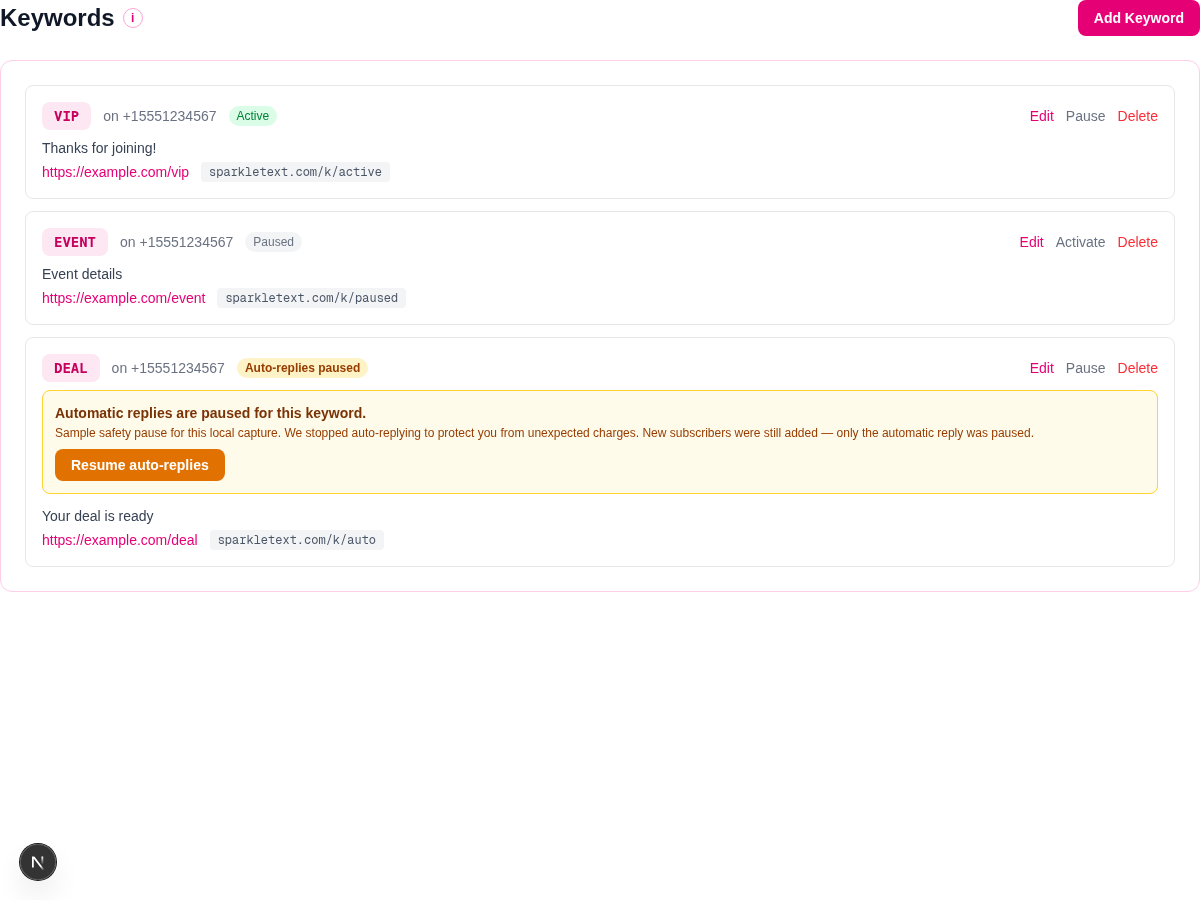
- Check the keyword state. An Active keyword can respond. A manually Paused keyword needs Activate.
- Check for an automatic safety pause. The Auto-replies paused banner is separate from a manual pause. It can offer Resume auto-replies; if it does not resolve the issue or an account restriction persists, contact support.
- Check the subscriber record. A missing reply does not always mean account setup failed. Opt-outs, subscriber limits, and reply safeguards can affect delivery.
- Allow activation time for a new number. Carrier activation and delivery can take time. If a normal test still fails after the new number has had time to activate, contact support with the number, keyword, and approximate test time.
Subscribers, opt-outs, and CSV export
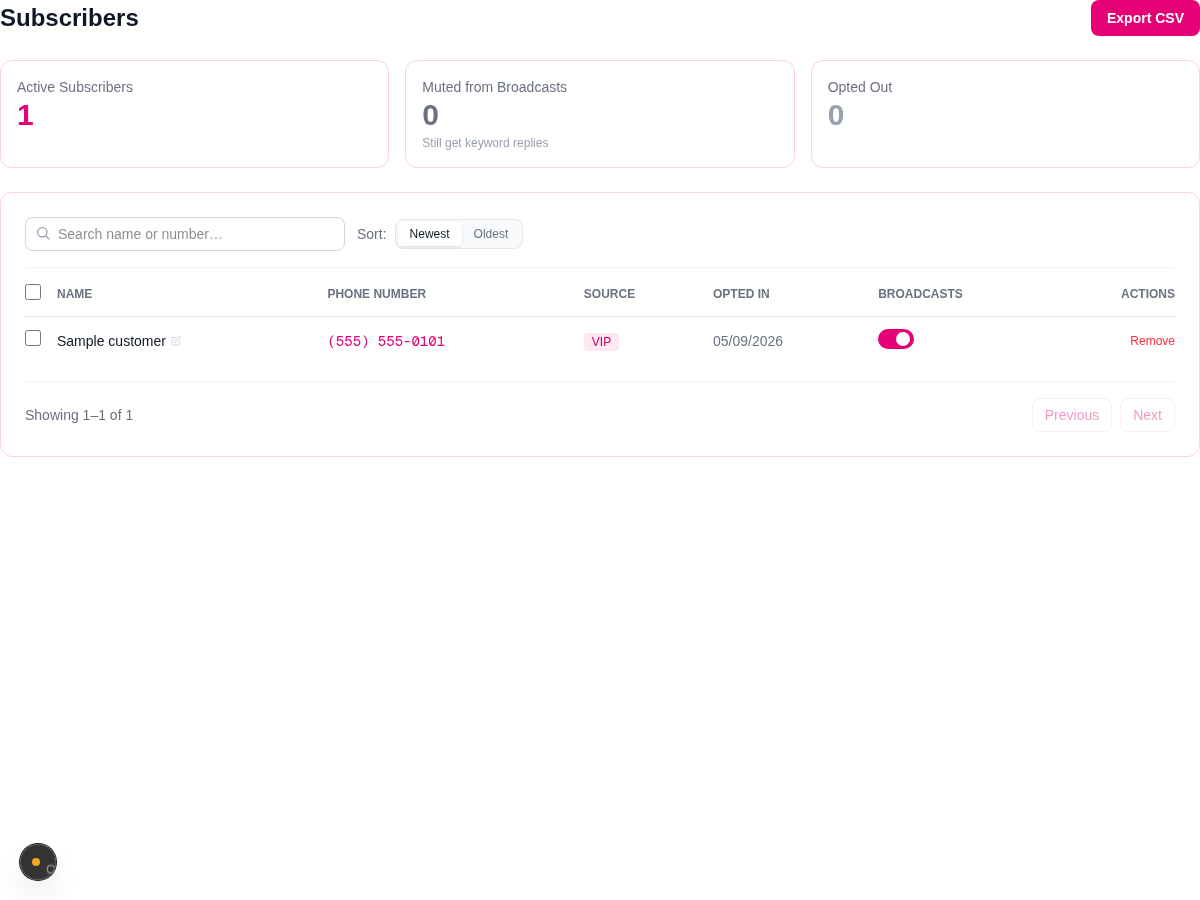
Customers can text STOP, UNSUBSCRIBE, CANCEL, QUIT, or END to opt out of automated program messages. For a Host with a dedicated number, STOP may affect existing subscriptions to that Host, including subscriptions on its other numbers. On a shared number, it may affect existing subscriptions to more than one Host. START can restore existing affected subscriptions, and HELP returns support information. These automatic replies support your SMS program; you remain responsible for your own messages and requirements.
In Subscribers, choose Export CSV to download all active subscribers for your account. The export includes name, phone number, opt-in time, and source keyword. It is not limited to the visible page or search results and does not include opted-out contacts.
For ideas on making the keyword and call to action clear, see CTA examples.
For an example of planning useful follow-ups for people who already opted in, read the live-sale reminder workflow.
Current plans, legacy billing, and availability
Current plans are billed monthly in USD. Each includes 15 broadcasts per month within its subscriber allowance, keyword auto-replies, and a monthly inbox-reply segment pool.
- Starter — $29/mo: up to 100 subscribers and 250 inbox reply segments per month.
- Growth — $49/mo: up to 200 subscribers and 400 inbox reply segments per month.
- Pro — $99/mo: up to 400 subscribers and 700 inbox reply segments per month.
- Elite — $179/mo: up to 700 subscribers and 900 inbox reply segments per month.
- Max — $249/mo: up to 1,000 subscribers and 1,000 inbox reply segments per month.
Reply pools count outgoing SMS segments, so longer texts or emoji can use multiple segments. Check pricing for the current options. Inbox access can be enabled for an account; do not assume it is available solely from a plan name.
Legacy plans and prepaid billing
This applies only to accounts still on legacy prepaid billing, including earlier Starter $10/mo, Host $15/mo, and Pro $25/mo plans. Check your dashboard billing details. On those accounts, broadcasts and inbox replies use a separate prepaid credit balance; current plans use the allowances above. Legacy credits cost $0.03 per SMS segment, are non-refundable, and may use optional Auto-refill.
Zapier is coming soon. It is not a currently available SparkleText integration, and there is no release date to share.
Frequently asked questions
- How do I set up SparkleText?
- Create and verify your account, choose a plan, add a number from Numbers, create a keyword from Keywords, then test it before you share it. A new number can take time to activate with carriers, so an assigned number is not a promise of immediate delivery.
- Why is my keyword not replying?
- Check that the customer texted the exact saved keyword to the correct number and that the keyword is Active. Misspellings are not matched. An automatic safety pause is different from a manual pause; use Resume auto-replies when it is available, or contact support if the restriction persists.
- Can customers opt out and rejoin?
- Customers can text STOP, UNSUBSCRIBE, CANCEL, QUIT, or END to opt out of automated program messages. For a Host with a dedicated number, STOP may affect existing subscriptions to that Host, including subscriptions on its other numbers. On a shared number, it may affect existing subscriptions to more than one Host. START can restore existing affected subscriptions; HELP returns support information. Check your subscriber list when troubleshooting a reply because opt-out and reply safeguards can affect what is sent.
- What does Export CSV include?
- Export CSV downloads the active subscribers for your account, including name, phone number, opt-in time, and source keyword. It is not limited to the current page or search results, and it does not include opted-out contacts.
Contact support
For account-specific activation, keyword, or delivery help, email support@sparkletext.com.
Omvium LLC, San Marcos, California